Make stills move,
right inside Premiere.
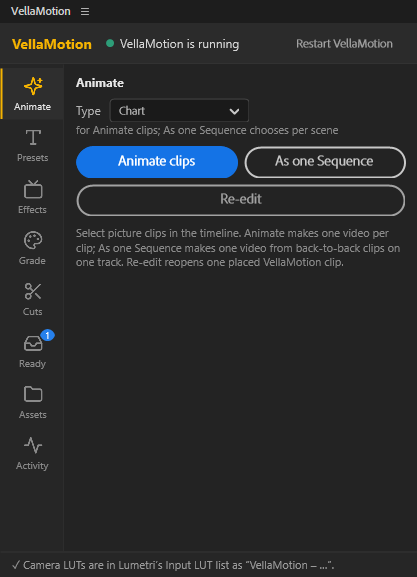
No round trip through Photoshop and After Effects for every photo. Select a still on your timeline, click “Animate”, and a documentary shot lands right above it.
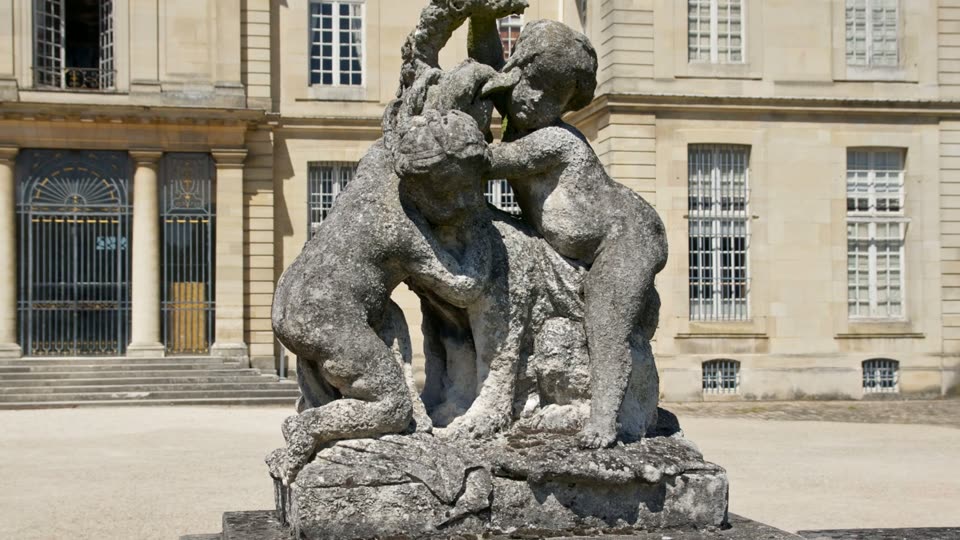 Your stillVellaMotion
Drag the line: the photo's own pixels move. Nothing is redrawn by AI.
An hour per photo, or one click.
Documentaries and explainers are full of stills. Making each one move has meant a round trip through Photoshop and After Effects, so most become a flat pan and zoom.
The usual way ≈ 1 hour
- Cut the subject out in Photoshop 15 min
- Paint in what was behind it 15 min
- Rebuild the layers in After Effects 10 min
- Rig a 3D camera and time its move 15 min
- Render, then import it back into Premiere 5 min
With VellaMotion ≈ 6 seconds
- Select the still on your timeline
- Click “Animate” in the VellaMotion panel
- The shot lands above the original, in one undo
VellaMotion's time: a Parallax shot on an NVIDIA RTX 4060 (about 3 minutes on the processor alone). Manual times vary by photo and editor.
Move the camera yourself.
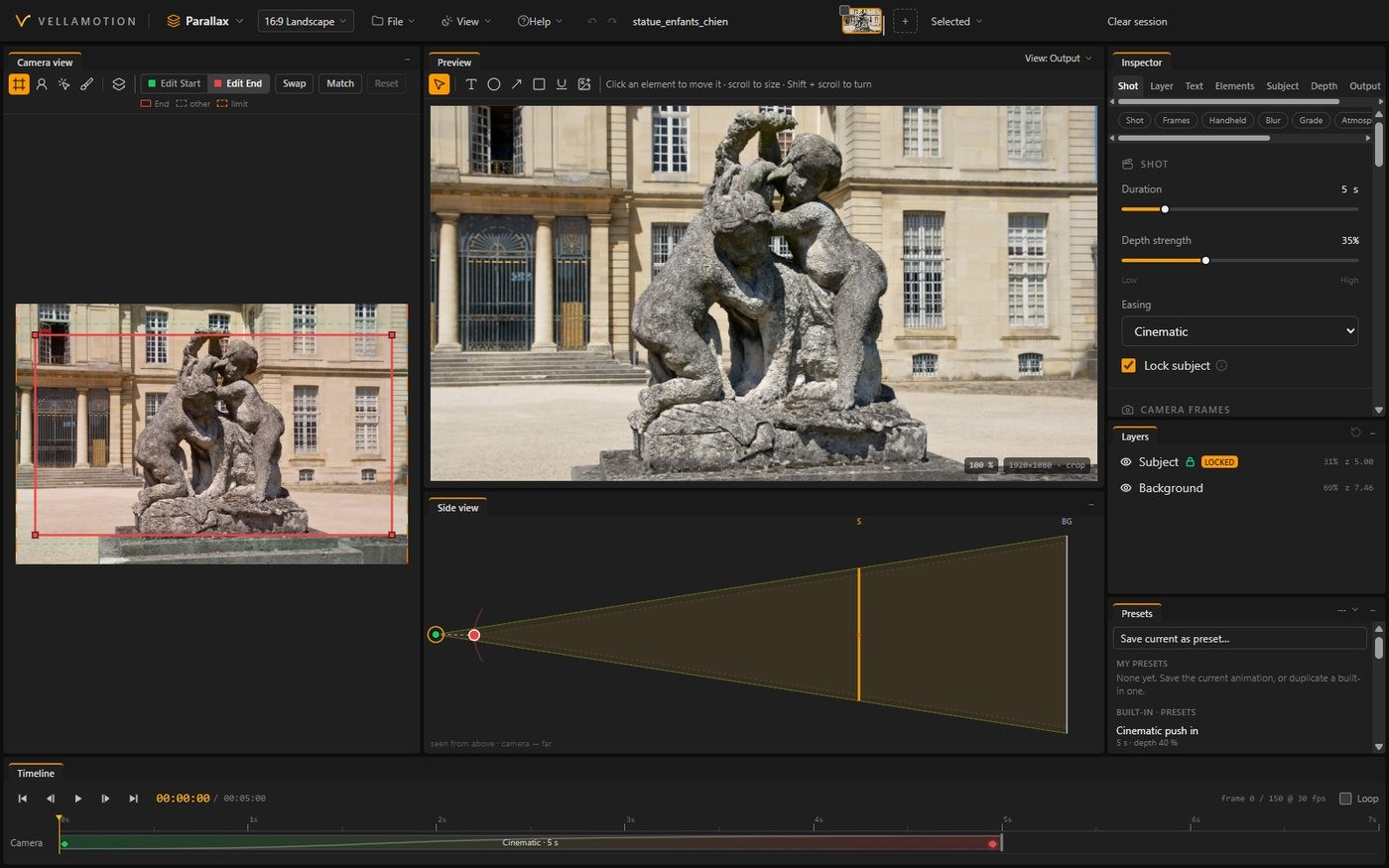
This is Parallax, one of the four kinds of shot, with the app's real layers for each photo: the subject cut out, the space behind it filled in. Pick a move, or drag the picture.
Newspaper, Chart and Sequence, every other move, your own photos and export are in the app: try it free for 7 days.
Pick the shot your story needs.
Parallax
The photo split into depth, a camera moving through it.
Newspaper
The headline, then the line that matters, marked.
Chart
Your numbers, built bar by bar.
Sequence Beta
Several photos joined into one camera move.
Everything your documentary needs to move.
Parallax
A still photo with real depth.
- Depth layers from one photo, the subject kept whole and sharp
- Camera moves: push in, pull out, pan and drift, with easing, handheld shake and motion blur
- Labels and marks: texts, arrows, circles and underlines on the picture
Newspaper
Old clippings that read themselves.
- Finds the text on a scan, a screenshot or a photo of a page
- Reads along: the camera travels the page and follows the headline
- Highlights the words that matter as they are read
Chart Pro
The chart you already have, built on screen.
- Bars rise, lines draw, pies sweep in from the chart's own pixels
- The number that matters: one bar, point or slice lit up
- Line story: a line told point by point, the camera following
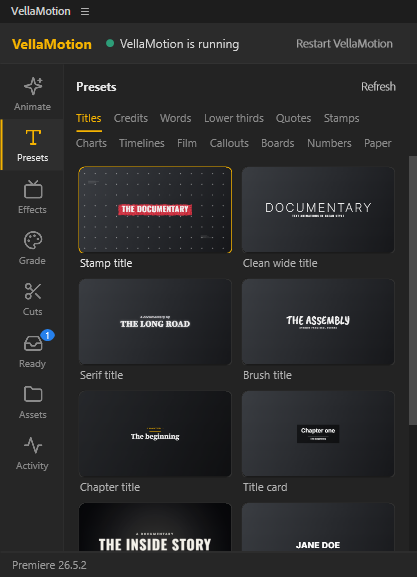
Presets and effects Pro
Ready-made shots, placed straight on your timeline.
- Animated charts and timelines from your numbers: bars, rankings, lines, pies, date flags and path timelines
- Paper: flying papers, magazine pages, page flips and curls, and an investigation board
- Screens and TV: a vintage TV, a phone, a wall of TVs, CRT looks and Ken Burns
- Titles: trailer title cards, lower thirds, quotes and stamps, in 13 documentary fonts
Cuts and Grade
The chores of a talking-head edit, done in the panel.
- Silence removal at your threshold, in place or as a new sequence
- J and L cuts so the joins feel natural Pro
- Retakes and filler words found from the transcript Pro
- Grade: log to normal colour for eight camera brands, looks previewed on your own frame Beta
Sequence Beta
Several photos, one cinematic camera move.
- One 3D world from your pictures, one camera travelling through them
- Transitions: ink spread, light leak, glitch, shadow wipe, smoke and match cut
- Screen spaces: your pictures on a TV or a phone in a room
- In time with the music's beat and the voice-over's words
It never leaves your timeline.
Runs on the PC you edit on.
64-bit. A Mac version comes later.
For the panel. The app also exports for Resolve, Final Cut and CapCut.
Seconds instead of minutes. Without one, everything still runs.
Recommended.
The app and its picture models.
And to activate and update. The rest works offline.
Buy it once, or get everything.
Own it once, or subscribe for everything. Try every feature free for 7 days first: no card, and nothing starts or charges by itself when the trial ends.
On the subscription, the launch price stays for as long as you're subscribed.
Lite
- Parallax: depth layers, camera moves and labels
- Newspaper: finds the text, reads along and highlights
- In Premiere: animate, place and re-edit stills from the panel
- Basic text presets: titles, lower thirds and quotes
- Cuts: silence removal
- Every frame shape, batch export and re-editing
- Up to 1080p · every 2.x update · 3 computers
Pro
- Everything in Lite
- Chart: built from its own pixels, the number that matters lit up
- Animated charts and timelines from your numbers
- Flying papers, magazine pages and an investigation board
- Screens, TV sets, ink, film finishes and Ken Burns
- Cuts: retakes, filler words and J and L cuts
- 4K and ProRes · every 2.x update · 3 computers
Subscription
- Everything in Pro
- Sequence (beta): one 3D world, cinematic transitions and screen spaces
- Grade (beta): log conversions for eight camera brands and every look
- Every beta feature, first
- Every new version and new pack, as it comes
- Priority support
- 5 computers
Checkout by Lemon Squeezy, our seller: taxes included, card or PayPal, your key by email. By buying you agree to the terms and the refund policy.