Features
Everything VellaMotion does.
The app does the animating; the Premiere panel brings it to your timeline. Here is what each plan includes.
In Lite
$40 one-time payment · and in Pro and the subscriptionMoving photos and clippings, from the panel, yours to keep with every 2.x update.
 EXPORTED CLIP
 EXPORTED CLIP
Parallax App
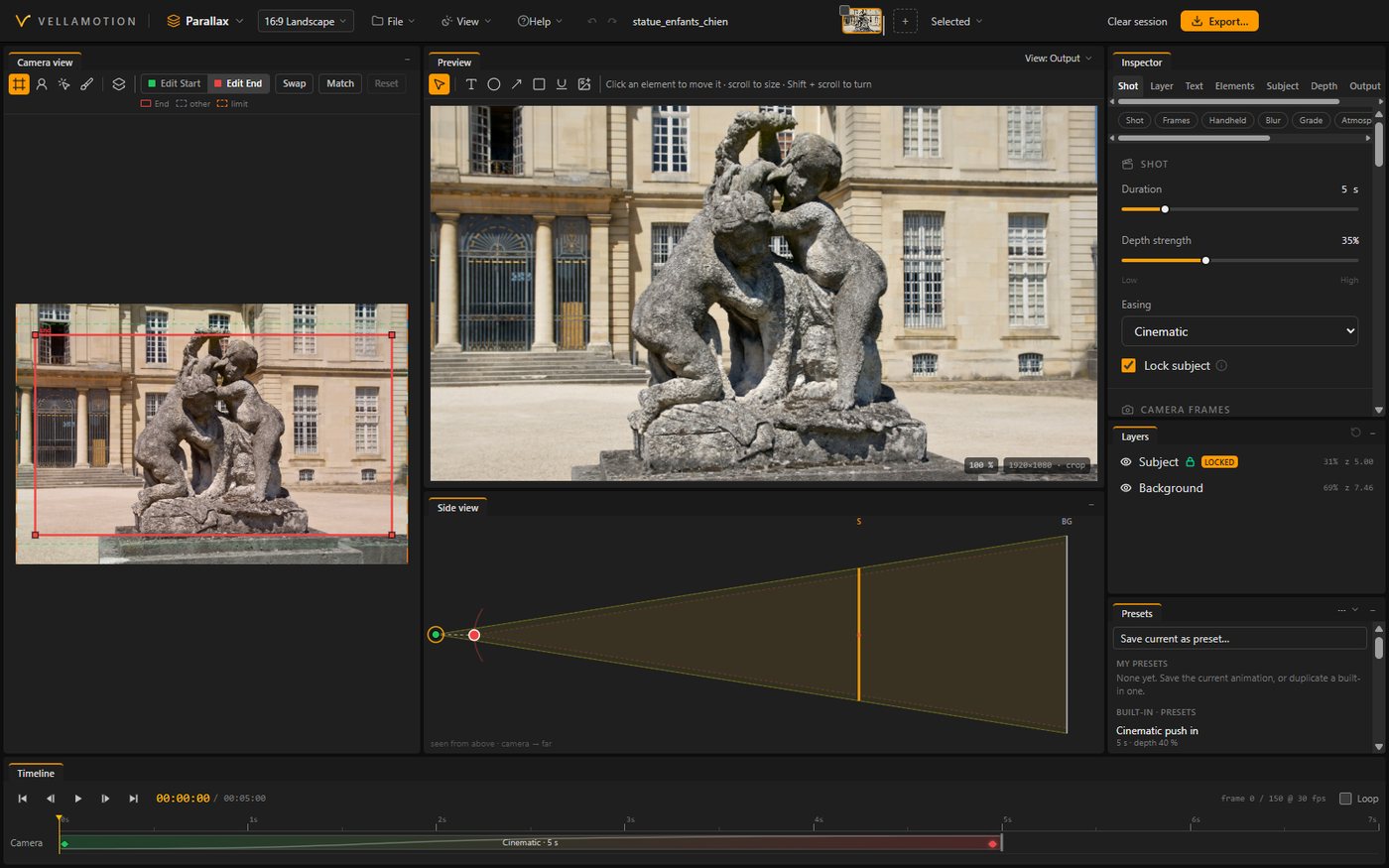
Depth layers from one photoThe picture split into layers by depth, the subject kept whole and sharp.
Camera movesPush in, pull out, pan and drift, with easing, handheld shake and motion blur.
Fit when the subject is cutIn a narrow frame, the photo rests whole on a blurred copy of itself.
Labels and marksTexts, arrows, circles, boxes and underlines on the picture, with a soft glow.
Newspaper App
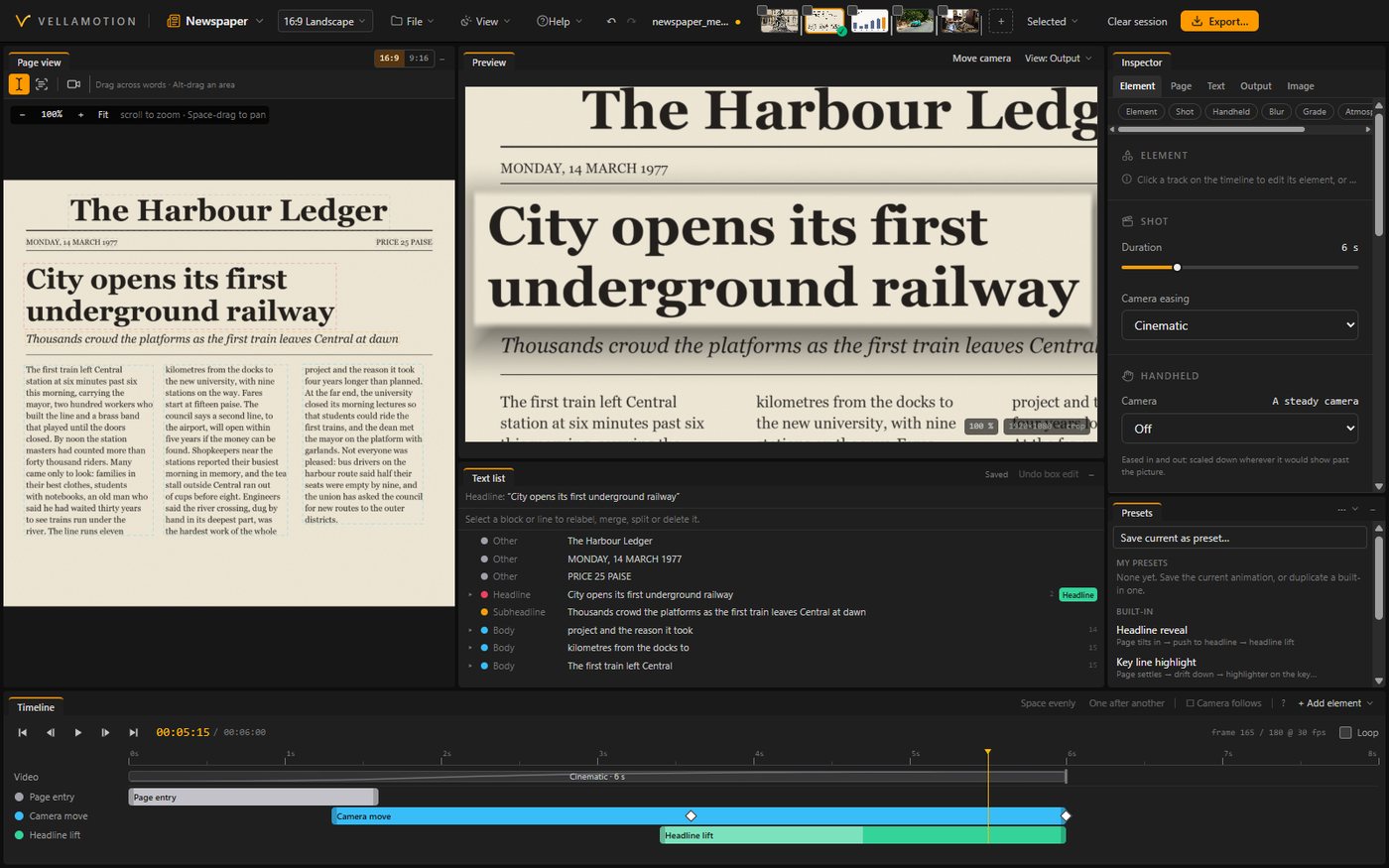
Finds the textHeadlines and lines found on a scan, a screenshot or a photo of a page.
Scans and reads alongThe camera travels the page and reads along the headline in vertical frames.
Highlights and annotationsHighlight, underline, circle and box the words that matter, as they are read.
TemplatesReady-made moves: scan down, focus on the key line, reveal the headline.
Export and projects App
Every frame shape16:9, 9:16, 1:1, 4:5, 21:9 or a custom size, each framed for its shape.
H.264 up to 1080pFast exports with NVIDIA's encoder when you have one.
Batch exportSeveral pictures exported in one go, one video each.
.vella projects and re-editingSave your work, and reopen any exported video to change it.
Animate, place and re-edit Panel
AnimateSelect photos on your timeline; each comes back animated, above the original.
Place and re-editVideos made in the app placed on your timeline, and opened again to change them.
Every sequence shapeThe panel reads the sequence's size and frame rate; nothing to set.
Silence removal Panel
Silences cutSilences cut from talking clips at your threshold, in place or as a new sequence.
Text presets, the basics Panel
Titles and lower thirdsClean, serif, stamp and brush titles; lower thirds for names and places.
QuotesA quote with its source, set in a documentary font.
13 documentary fontsTypewriters, headline capitals, serifs, slab and marker, in every text preset.
Pro adds
$80 one-time payment · and in the subscriptionThe whole toolkit: Chart, every preset and effect, all of Cuts, 4K and ProRes. Yours to keep with every 2.x update.
 EXPORTED CLIP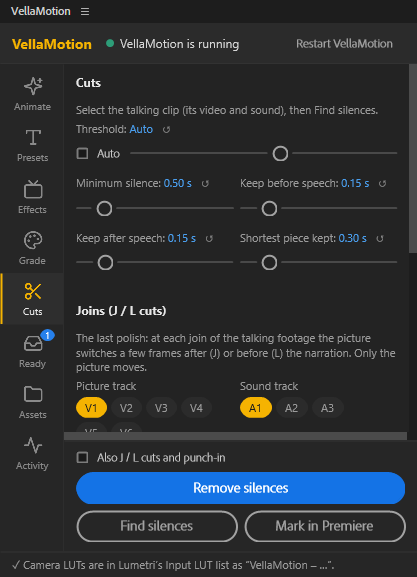
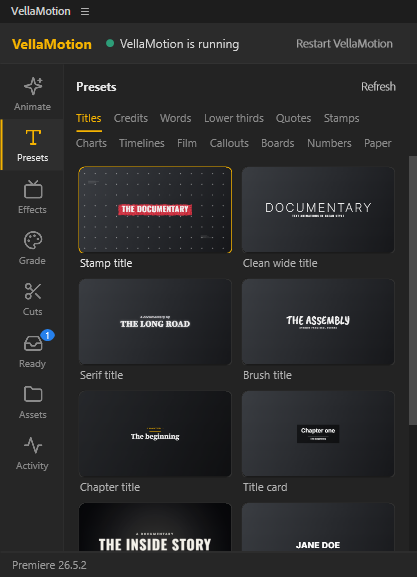
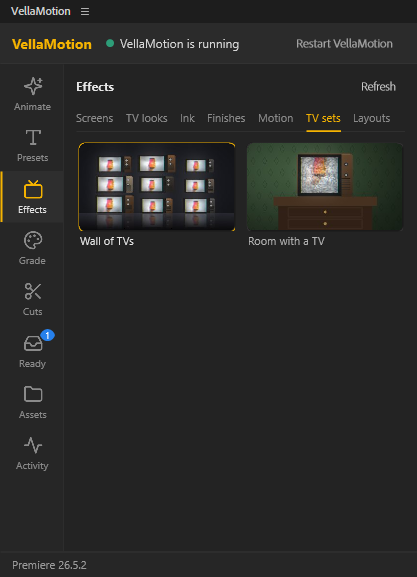
Chart App
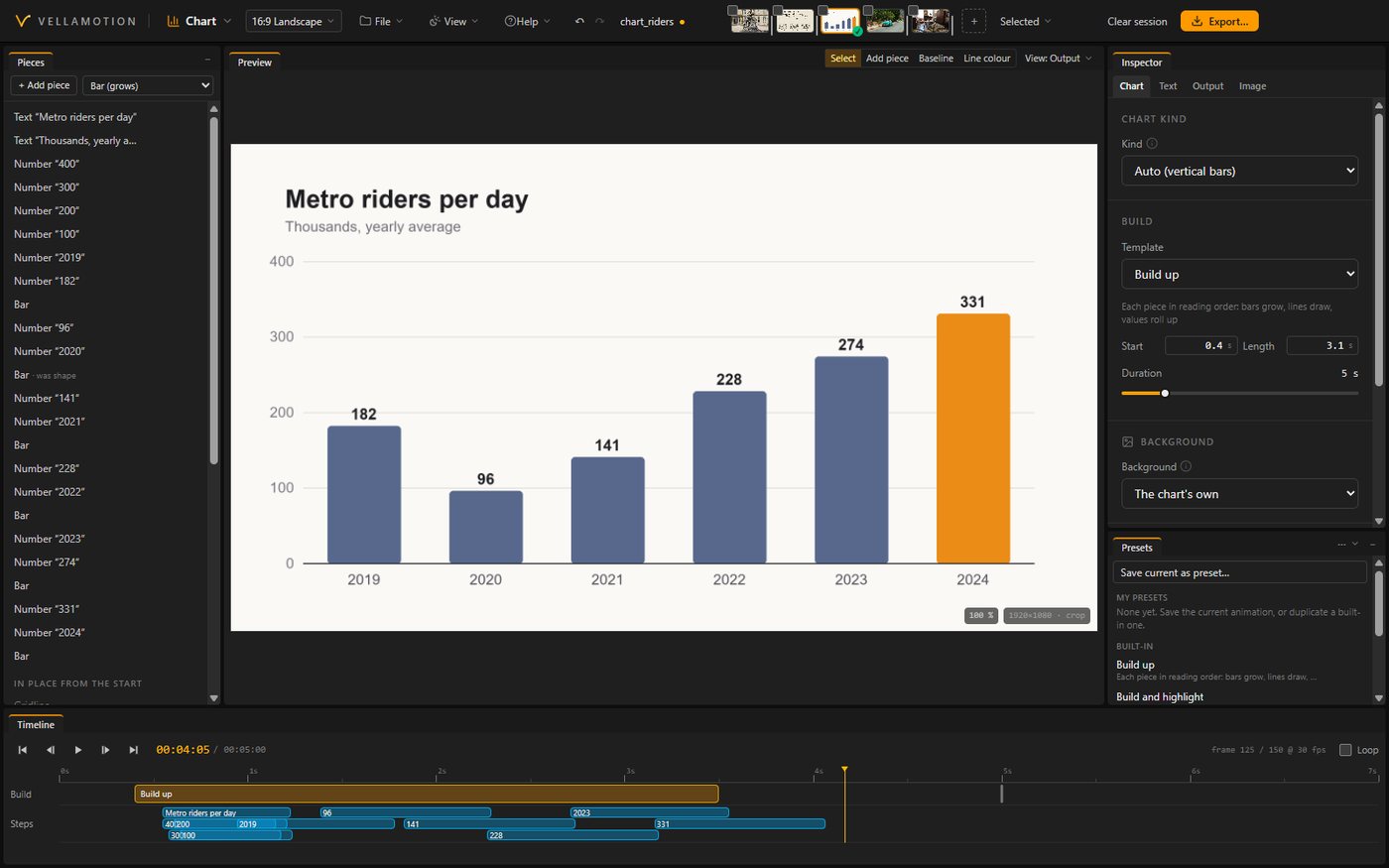
Builds from its own pixelsBars rise, lines draw on and pie slices sweep in, from the chart you already have.
The number that mattersHighlight, focus and annotate one bar, one point or one slice.
Line storyA line chart told point by point, the camera following along.
Your backgroundKeep the chart's own page or put it on a background of your choice.
Export, more App
4K and ProResMaster-quality files for the final grade and delivery.
Also export asEvery frame shape in one go, from the same project.
Cuts, more Panel
Retakes and filler wordsRepeated takes and um's found from the transcript.
J and L cutsSound leads or trails the picture on the joins, so cuts feel natural.
Presets, the full set Panel
Every text presetChapter cards, credits, highlighted words and stamps, beside the basics.
Trailer title cardsStudio intro, name end card and logo reveal.
Charts and timelinesBars, ranking, line, area, pie and counter charts from your numbers; time rulers, date flags and path timelines.
Paper and the boardMagazine pages, page flips and curls, flying papers, a paper stack, a text match cut and an investigation board.
Numbers and film finishesA counter and a rolling date; letterbox, light leaks, film grain, dust and scratches, and a callout.
Effects Panel
TV looks and Ken BurnsCRT screen, old TV, black & white and green screen looks; a slow push or pan on stills.
ScreensYour clip on a vintage TV or a phone, fitted to its screen.
Ink and finishesInk reveal, ink flash and chromatic aberration.
TV sets and layoutsA wall of TVs, a room with a TV, panel layouts and split compare.
The subscription adds
$12 / month or $100 / yearEverything in Pro, plus Sequence and Grade in beta, every beta feature first, and every new version while you subscribe.
 EXPORTED CLIP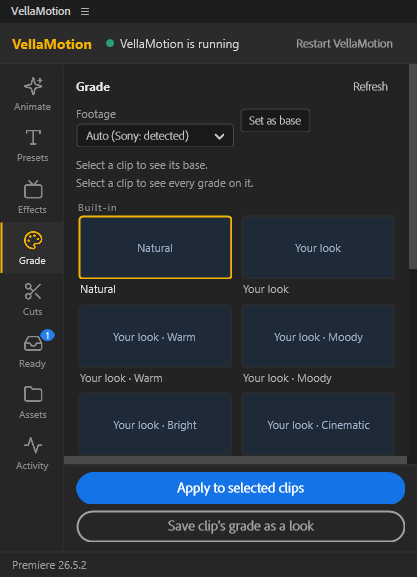
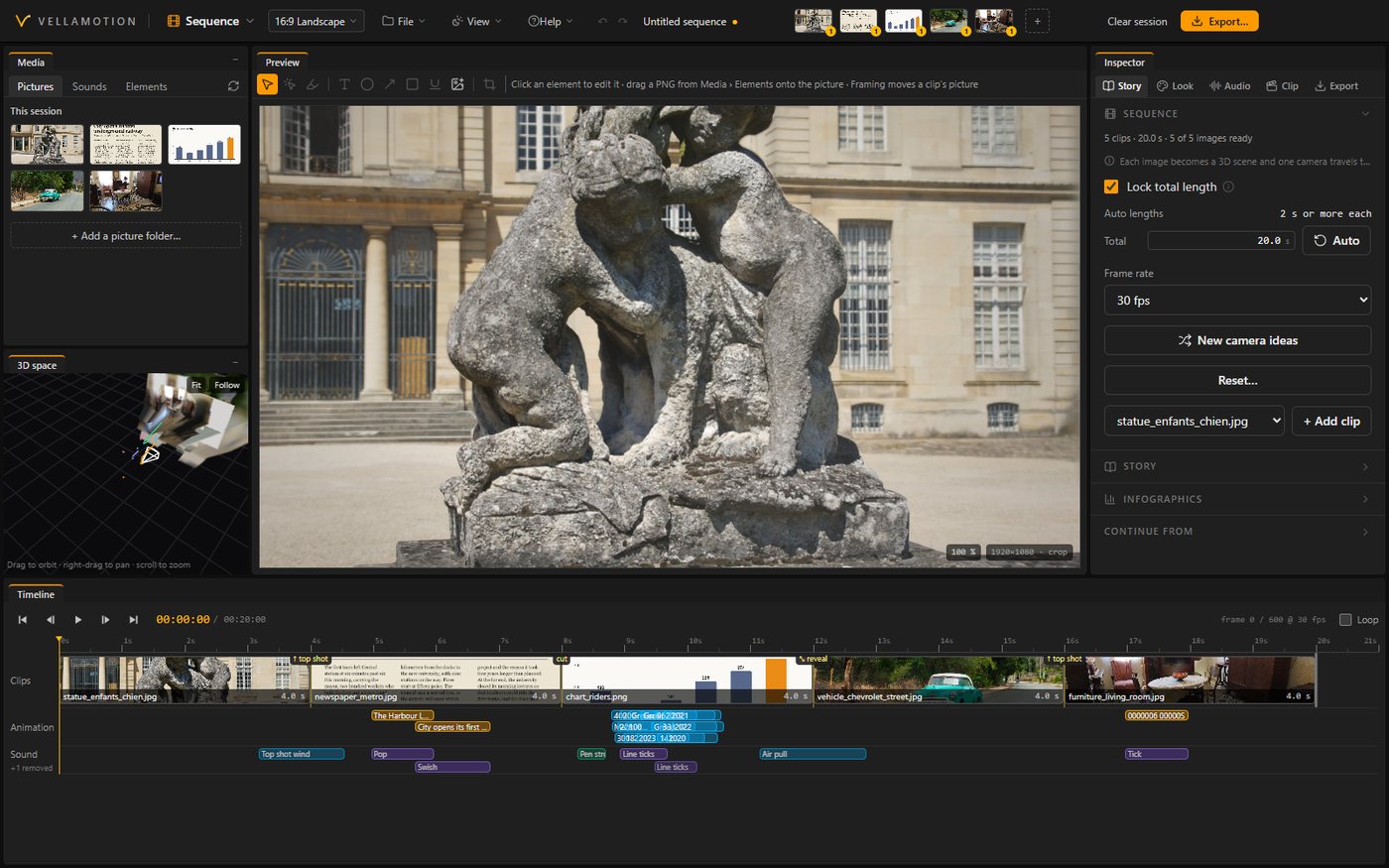
Sequence App and panel
One 3D world from your picturesEach picture becomes a scene in one space, one camera travelling through them.BETA
Cinematic transitionsInk spread, light leak, glitch, shadow wipe, push through text, shape match cut, smoke and more.
Screen spacesYour pictures shown on a vintage TV or a phone in hand, the camera moving through the room.
In time with the music and the voiceCuts land on the beat; words of the voice-over trigger what's on screen.
As one SequenceSeveral selected clips in Premiere animated together as one Sequence.
Grade Panel
Camera conversionsLog footage from Sony, Canon, Panasonic, Fujifilm, Nikon, DJI, Apple and Blackmagic to normal colour.BETA
Every lookNatural, Clean interview, Bright YouTube, Black & white, the "Your look" family and your saved looks.
Balance from the faceWhite balance and exposure read from the person in the shot.
First, and always new Subscription
Every beta featureNew tools as they're built, before they reach Lite and Pro.
Every new versionNew presets, effects and model upgrades as they come, version 3 included.
Priority supportYour questions answered first.
5 computersOne key on up to 5 computers at a time.
Compare plans
Every plan starts with the same 7-day free trial, every feature included.
| Feature | Lite | Pro | Subscription |
|---|---|---|---|
| Workspaces | |||
| Parallax, Newspaper | ✓ | ✓ | ✓ |
| Chart | — | ✓ | ✓ |
| Sequence (beta) | — | — | ✓ |
| Export | |||
| Every frame shape, batch export and re-editing | ✓ | ✓ | ✓ |
| Resolution | Up to 1080p | Up to 4K | Up to 4K |
| ProRes, also export as | — | ✓ | ✓ |
| Premiere panel | |||
| Animate, place and re-edit | ✓ | ✓ | ✓ |
| Text presets: titles, lower thirds and quotes | ✓ | ✓ | ✓ |
| Every preset: charts, timelines, paper, trailer titles | — | ✓ | ✓ |
| Effects: TV looks, screens, ink, TV sets, Ken Burns | — | ✓ | ✓ |
| Cuts: silence removal | ✓ | ✓ | ✓ |
| Cuts: retakes, filler words, J and L cuts | — | ✓ | ✓ |
| Grade (beta) | — | — | ✓ |
| As one Sequence | — | — | ✓ |
| Updates | |||
| Updates | Every 2.x | Every 2.x | Every version |
| Beta features | — | — | ✓ |
| Support | Priority | ||
| Computers per key | 3 | 3 | 5 |